New Publishing Method And Updates

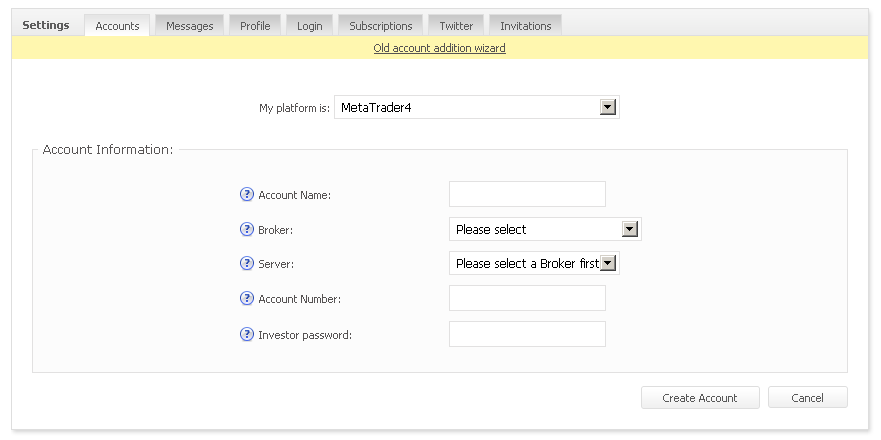
We’ve been working for a while now on improving the way you add and connect a MetaTrader 4 account to Myfxbook. The Publisher/EA isn’t the easiest way as it requires some technical skills to set it up. We’re glad to show you the major change we’ve been working on for the past few months – a truly mobile, and easy to setup solution:
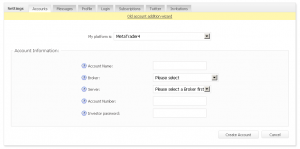
So what’s the big difference you ask? Here’s the complete list:

– Setup is very straightforward; simply select the broker, server, type in your login and password, and you’re good to go.

– The account is processed in real time (Usually in less than 10 seconds).

– No need to setup your Publisher nor EA.

– Truly mobile solution; the account will update every 5 minutes, no matter if your MetaTrader 4 platform is on or not.

– Will enable analysis by magics by default, for those who don’t use the EA.

– Addition of accounts during the weekend (for those who wish to use the EA).

As this change involves a large infrastructure change to our systems, this is a beta release. To activate the new publishing method for existing accounts, make sure you have the investor password typed in and the server selected, then simply click the yellow message for your existing account (you can also switch back to the EA/Publisher method at any time). For new accounts, go to the new wizard when adding a new account (yellow message):
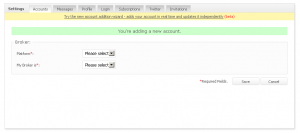
Important toΒ  note that accounts added using the new wizard are instantly track record verified. Moreover, the new publishing method will not replace the publisher/EA methods, to allow accounts with no investor password available to be added also.

Following the above change, we’re also changing the way accounts are verified for trading privileges – since some brokers rewrite the comment field after an order/trade is executed/closed, the new verification method simply requires you to change your investor password to a password provided by Myfxbook. The verification can be checked in real time, after pressing the ‘Connect’ button.

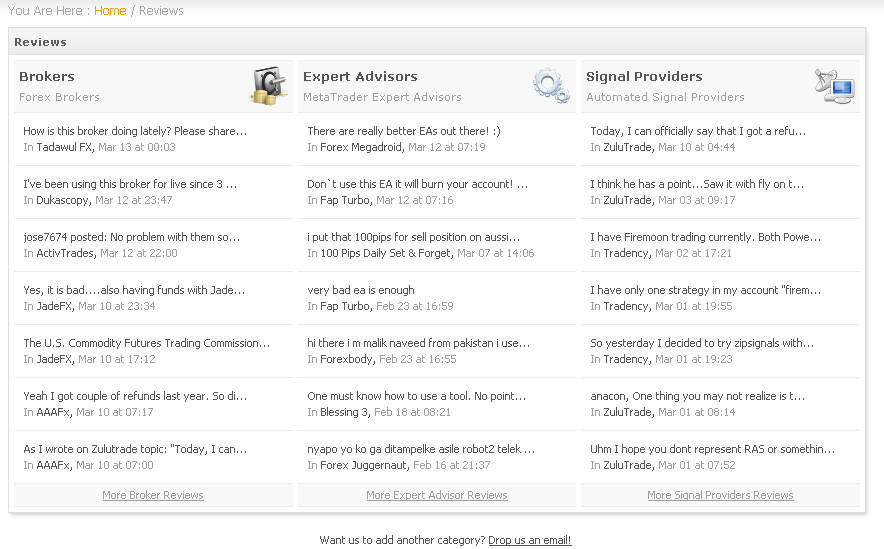
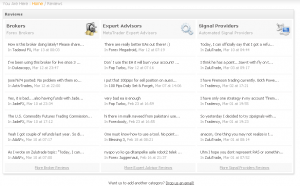
What other changes have we made? We’ve changed the reviews page to include the recent reviews:
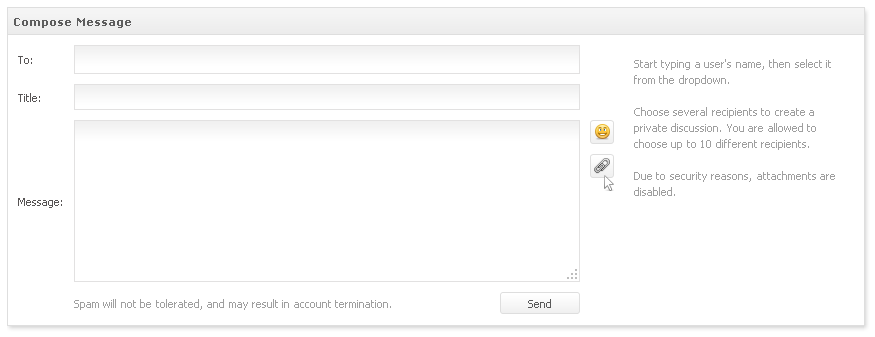
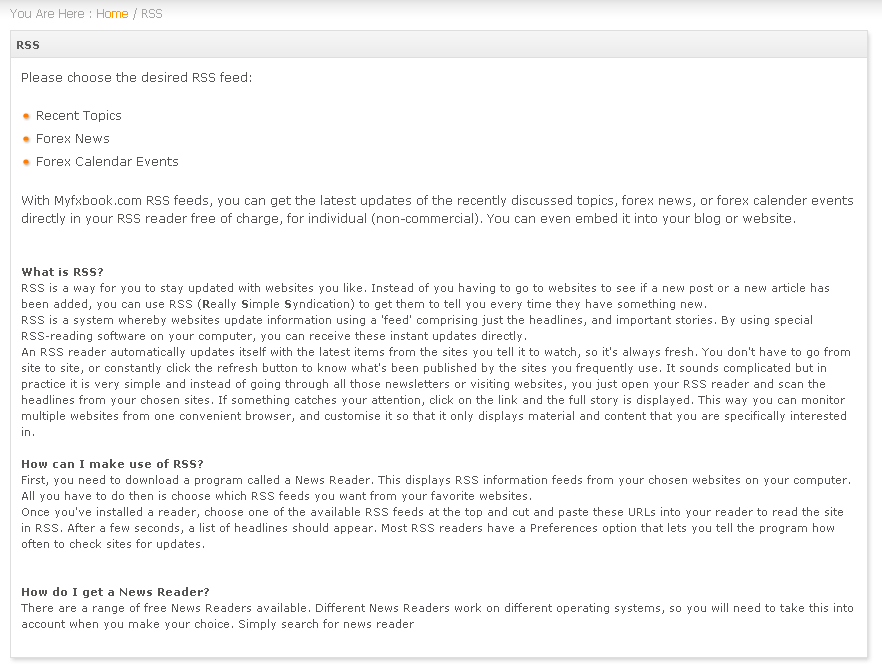
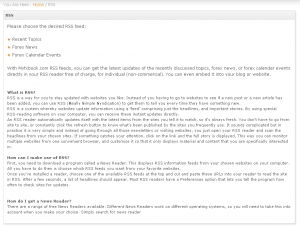
Another addition is the RSS feed for our economic calendar and forex news:
Another feature we’ve added is the time format option (will affect all time stamps on the website using the format in question):

Also, an important change – in order to increase transparency, we’ll be removing the option to hide your broker, in a week’s time. Anyone with a public account, will have the broker information showing.

Have a great trading week,

The Myfxbook team.

<span class=”underline”>
Contest Winners Announced

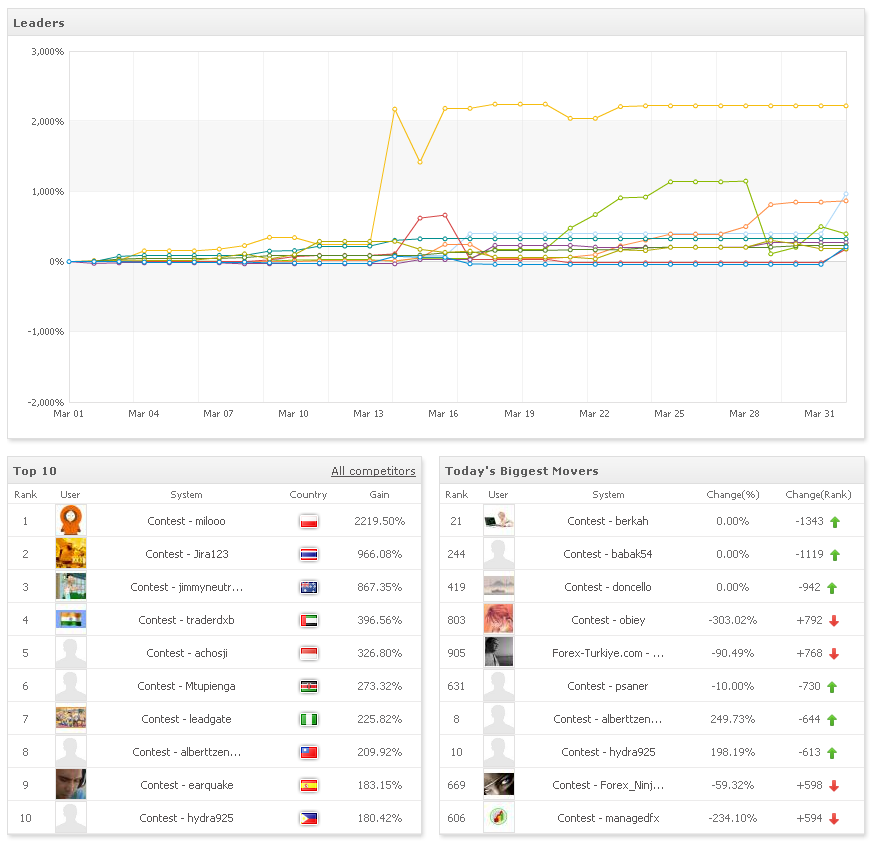
Here the contest results of our 3rd contest:

As you can see, although the first place was far away in the lead, the 2nd and 3rd places were very close.

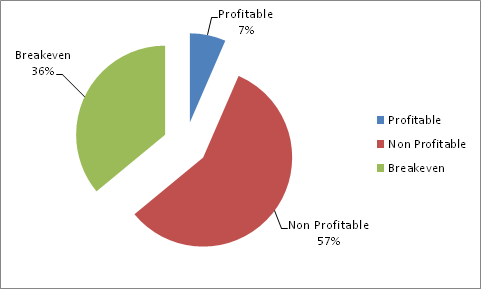
After 30 days of trading, 45% of accounts got margin called.Β  Here’s the profitability breakdown:

And who are the winners?

In the 1st place, with a 2219.5% return,Β  Contest – milooo.

In the 2nd place, with a 966.08% return, Contest – Jira123.

In the 3rd place, with a 867.35% return, Contest – jimmyneutron88.

Winners, you will be contacted by FxOpen to claim your prizes.

We’ll be launching another contest soon, so stay tuned!

Happy trading,

The Myfxbook team.

2 New Features

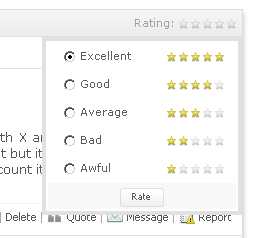
In an effort to help you navigate your way among the great amount of topics and spot quality topics (and inform others), we’ve devised a rating system which will allow you to rate each topic:

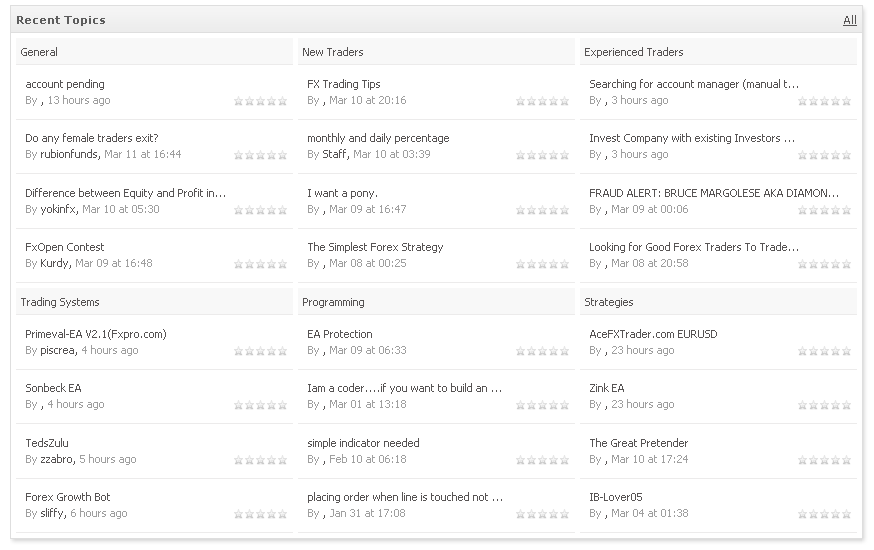
Also, the dashboard has received a face lift – the recent topics box will now show 6 discussion areas at once, to provide you an instant look at the community’s discussions without actually going there to check it:

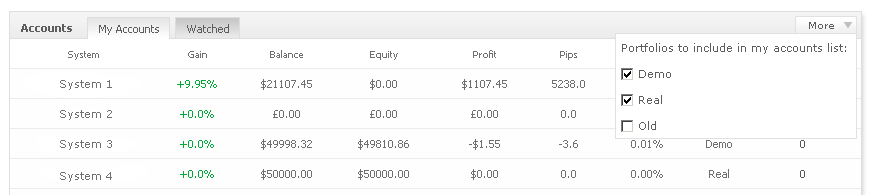
Another Feature added is the option to choose which portfolios to include in the dashboard accounts window. For example if you have a portfolio of demo accounts, real accounts, and old accounts, you may wish to hide the old accounts as there’s no point of showing them:

We’re working on some very exciting features which should be ready within the next few weeks so stay tuned!

Regards,

The Myfxbook team.

Only 8 Days Left For Registration!

If you haven’t registered yet for our latest contest, hurry up and register before the registration ends.

To register, please go here: https://www.myfxbook.com/contests/trading-championship-february-2011/3/rules

There are already 689 traders, and still counting πŸ™‚

Trading is performed on demo accounts, yet the prizes are very real – $3,500 in total!

P.S. We’ve been asked many times so just a quick reminder – trading accounts are disabled until the start of the contest, so this is nothing to worry about.

Good luck!

The Myfxbook team.

New Charts – Duration

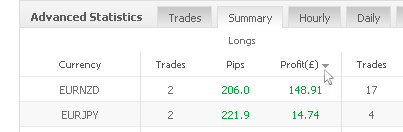
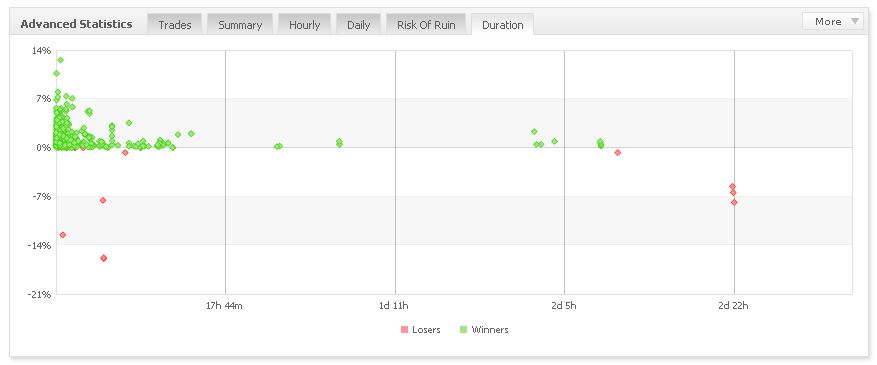
Today we’ve added new charts to your tool box – Duration:

The new charts can be found in the advanced statistics window, under the ‘Duration’ tab.

The charts include 4 duration analysis options:

  • Growth
  • Profit
  • Pips
  • Lots

Looking at the new charts will help you quickly evaluate and characterize the trading system (long terms, intraday, or scalping) and its consistency.

Oanda users – please keep in mind the current method of connecting to Oanda accounts will stop working on January 31st (tomorrow) as discussed here: https://blog.myfxbook.com/2011/01/03/oanda-accounts-will-not-be-supported/ To keep using Myfxbook with Oanda accounts, you’ll have to use their MetaTrader platform.

Have a great trading week!

The Myfxbook team.

New Section – System Comparison, Oanda Accounts Update

New Features

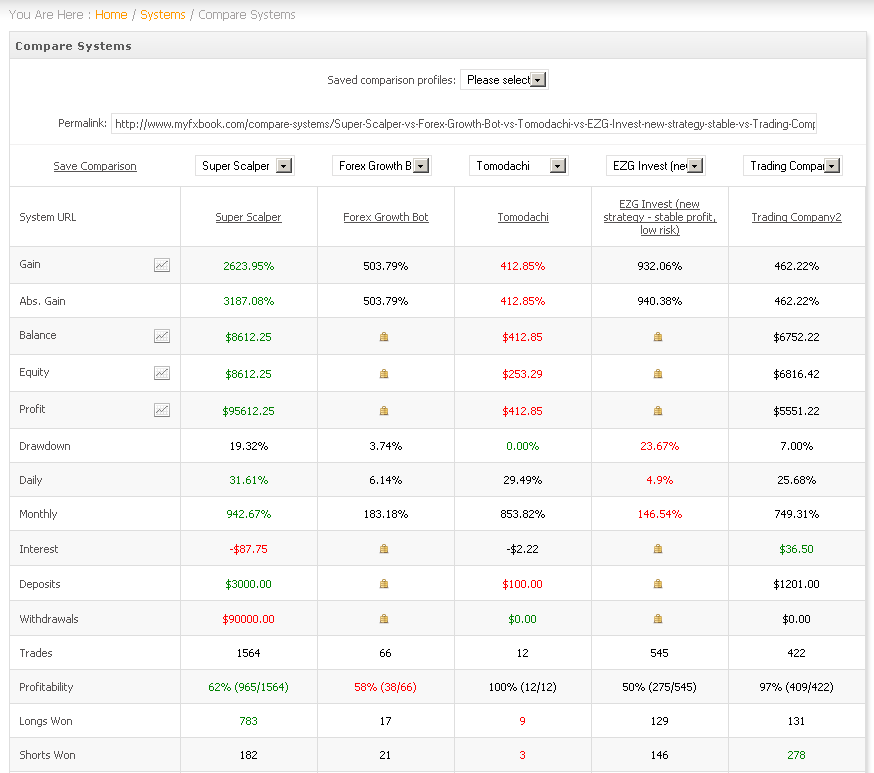
There are thousands of systems connected to Myfxbook, and you’ve probably browsed to several of them to check out the numbers and compare it either to your performance or someone else’s. Up until now there wasn’t an option to compare systems back-to-back, in order to quickly evaluate/compare the systems in question. Well,Β  no you can with the systems comparison page!

There are several key features to this new section:

  • Compare up to 5 systems simultaneously.
  • Quickly identify the best/worst values for each metric using the in-built coloring (green for best and red for worst).
  • Create and save an unlimited number of your comparison profiles for quick future reference.
  • Use a permalink to share the comparison of your selected systems with others.
  • Compare main metrics in one chart (gain, profit, equity and balance).

*The accounts for comparison are based on your watchlist and your private accounts in your portfolio.

Oanda Accounts Update

As some of you might have heard, Oanda are going to release the MetaTrader platform as one of their available platforms for trading – traders who will use the Oanda MetaTrader platform will be able to keep using Myfxbook as usual, so that’s great news! πŸ™‚

If you have any comments or suggestions about the new section, do let us know!

We’re working on more new and exciting sections, so stay tuned! πŸ™‚

Regards,

The Myfxbook team.

Oanda Accounts Will No Longer Be Supported

Guys, we’ve been waiting patiently for about a year now to receive an API from Oanda which will allow us to solve the expiring connection issue and remove any existing errors. Unfortunately, we haven’t received it and we’ve also been notified by Oanda that the current method we use to connect to Oanda accounts will stop working on January 31st (due to changes on their side).

We apologize for any inconvenience this is causing you, but there’s nothing we can do at this point. Myfxbook will no longer support Oanda accounts starting from January 31st.

There is no time frame on when they will complete the API, so any questions regarding this topic, please ask Oanda directly.

Thank you,

The Myfxbook team.

Update – Oanda will be supported through their MetaTrader platform.

4 New Metrics And 5 New Widgets!

Although it’s the holidays, we’re working hard (as usual! :)) on adding new features, implementing your suggestions, and fine tuning our systems! So what have we added today?

Sharpe Ratio – The Sharpe ratio is used to characterize how well the return of an asset compensates the investor for the risk taken. The higher the value, the better.

AHPR – Arithmetic Average Holding Period, or AHPR, is the average holding period return.

GHPR – Geometric Average Holding Period, or GHPR, is the geometric holding period return. A system having the largest GHPR will make the highest profits if compounded. A GHPR<1 means that the system will lose money if compounded.

Avg. Trade Time – average trade time.

The new statistics can be found in the advanced statistics window:

Since we keep adding more and more metrics, we’ve felt it was necessary to redesign a bit the advanced statistics for easier reading and interpretation, so no need to panic if the old metrics are not in its usual location :).

The new statistics will become available after the next account update.

We’ve also added 5 new widgets as you’ve requested (can be found in the custom widget):

Directional analysis:

Profit chart:

Hourly chart with 4 comparison modes (longs vs shorts, winners vs losers, longs profit vs shorts profit and winners profit vs losers profit:

Daily chart with 4 comparison modes (longs vs shorts, winners vs losers, longs profit vs shorts profit and winners profit vs losers profit:

Monthly:


Keep in mind the widgets are self updating, so it’s a great way to promote yourself and have your performance always up to date, displayed in your or other’s website, blog or forum.

Happy holidays! πŸ™‚

The Myfxbook team.

Risk of Ruin

We’ve just added another metric to the statistics which will help you to evaluate the risk of your/other’s trading system:

The Risk of Ruin table (under ‘Advanced Statistics’) will show you the probability of losing a certain %Β  of the account (ranging from 100% down 10%). It will also tell how how many consecutive losing trades are needed to reach the selected loss.

For easier interpretation of the table, you can simply hover over the selected column and a short sentence will appear explaining the numbers.

P.S. If you can’t see the new metrics, please clear your browser’s cache.

Happy Holidays,

The Myfxbook team.