Myfxbook October 2010 Trading Championship

After a long break from the last contest, today we launch our second contest, sponsored by FXOpen.

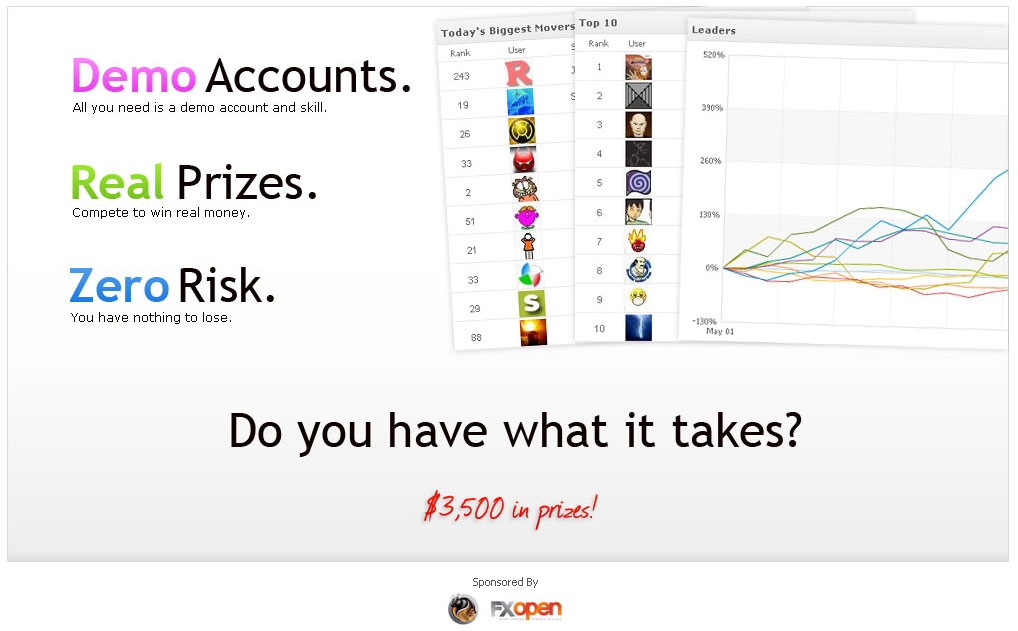
The concept is the same as before: trade a demo account to win real money (Accounts start with $100,000).

The prizes are $3,500 in total – $2,000 for 1st place, $1,000 for 2nd place, and $500 for 3rd place. As you can see from the contest page, there are no terms for claiming your prizes 🙂

Registration period is only 2 weeks, so hurry up and register – you have nothing to lose!

Registration is simple and easy:

  1. Register at the following link: Contest Registration.
  2. Download the MetaTrader platform of the sponsoring broker.
  3. Connect the account to your Myfxbook portfolio.

Please note, the trading account will be locked against trading until the start of the contest. We will send you a reminder email just before the start of the contest.

Happy trading!

Regards,

The Myfxbook team.

Community Outlook By Country

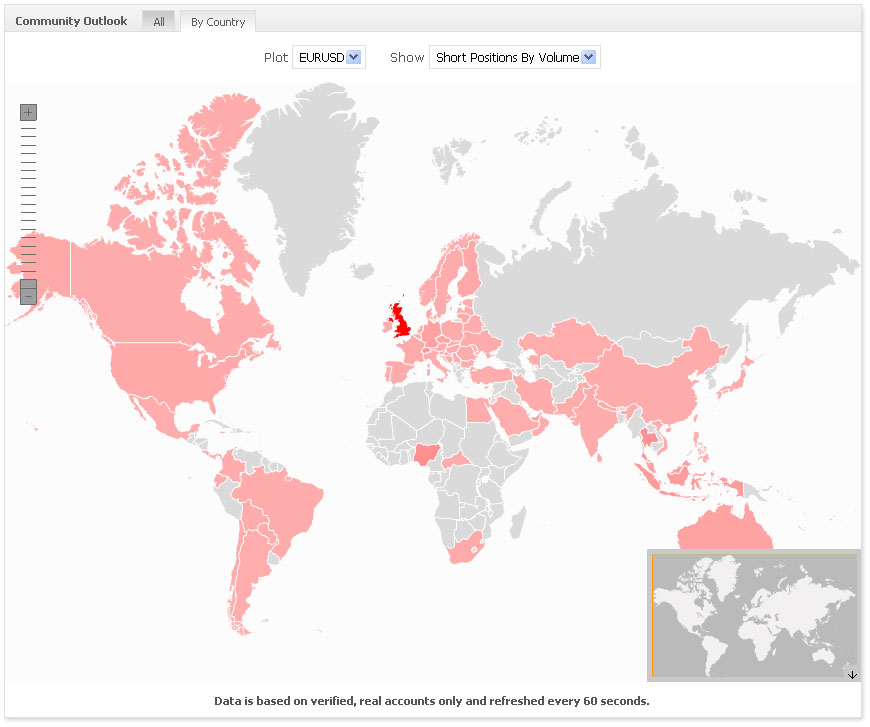
We’ve just added a new metric of our community’s outlook – distribution by countries:


The new metric is capable of plotting 10 different symbols (EURUSD, USDCAD, GBPUSD, USDJPY, AUDUSD, EURCHF, USDCHF, EURGBP, EURJPY, GBPJPY) with 4 different options:

  1. Long positions by volume.
  2. Short positions by volume.
  3. Long positions by amount.
  4. Short positions by amount.

This is yet another interesting piece of information which we think would be most interesting to watch after. The chart is self updating every 60 seconds, and based on verified, real accounts only.

Have a great trading week,

The Myfxbook team.

Economic Calendar Goes Live!

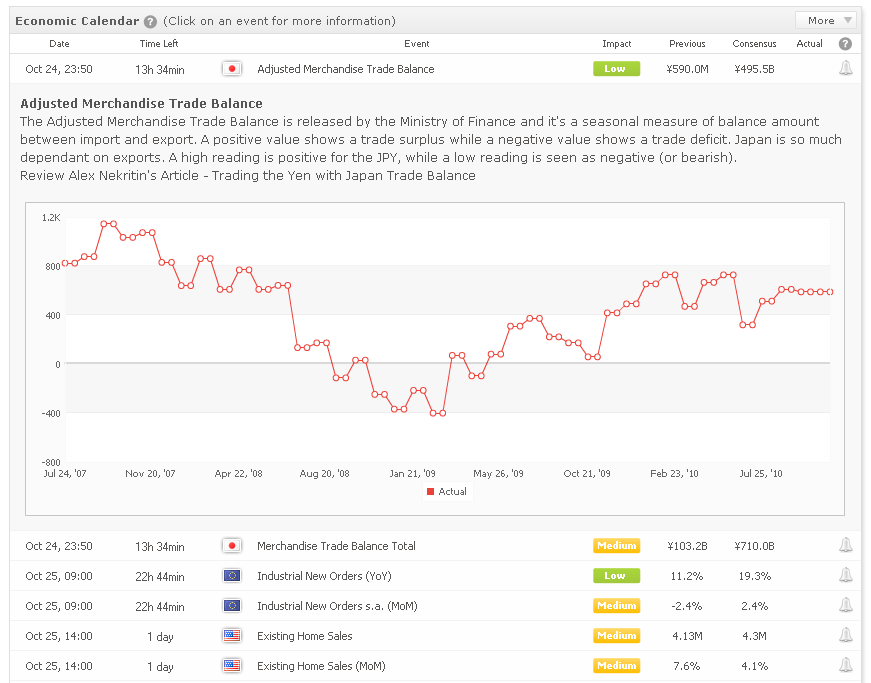
Lately we’ve been receiving a lot of requests regarding our economic calendar – so we’ve decided to redesign it and make it more useful, so here you go:

What changes have been made to the economic calendar?

  • More symbols – USD, GBP, CAD, JPY, NZD, AUD, CHF, INR, HUN, CNY, HUF, ISK, ZAR.
  • Event explanations.
  • Event release history chart.
  • Actual figures released and streamed in real-time.

We’ve also added a separate page for the economic calendar for easier viewing and it can be found here: https://www.myfxbook.com/forex-economic-calendar (this page doesn’t require you to login to view the calendar).

We will be adding some more features to the calendar, so stay tuned!

The data is provided by our friends from FXStreet.com – one of the largest forex news portals!

Regards,

The Myfxbook team.

New Features

We’ve added some new features today:

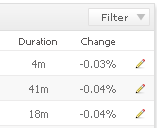
  • Per trade duration (days, hours, minutes) and change (percentage):


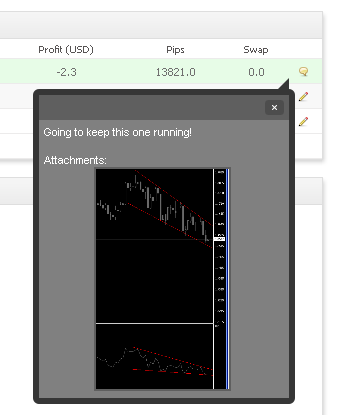
  • Ability to add comments/images on open trades/orders:


(Once a trade/order is closed/executed, the comments/images will be saved and moved to the history)

Regards,

The Myfxbook team.

What The Community Is Thinking Right Now?

You’ve probably wondered at least once if you’re trading with the same outlook as of the community – wonder no more, know it!

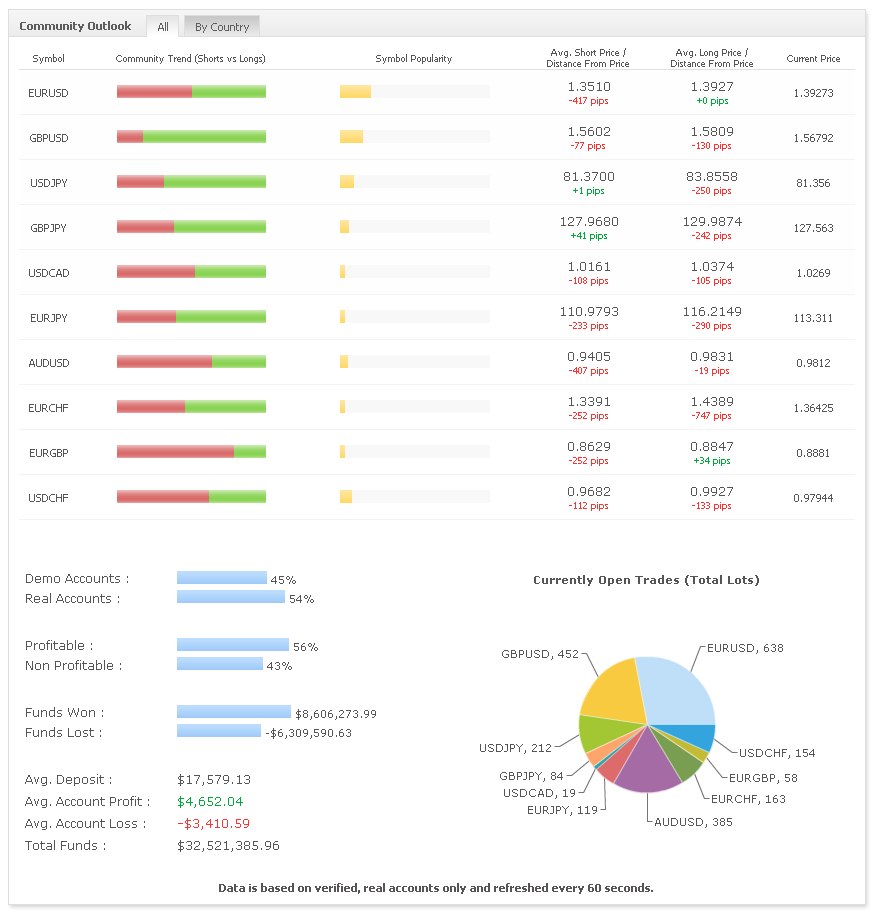
We proudly present our latest development: Community Outlook (You can find it under the menu Community>Outlook or the Community page).


Let’s go over the information presented to you on this page:

  1. Community trend – based on real position sizing ratios, revealing the current sentiment of the community (long/short).
  2. Symbol’s popularity – know how many members (%) of the community are currently trading the symbol.
  3. Average entry prices (long and short!) and real-time distances from current price.
  4. Current community stats – demo/real accounts ratios, profitable/non-profitable ratios, funds won/lost and average account deposit/profit/loss.
  5. Ratios of currently open positions, based on total positions sizes.

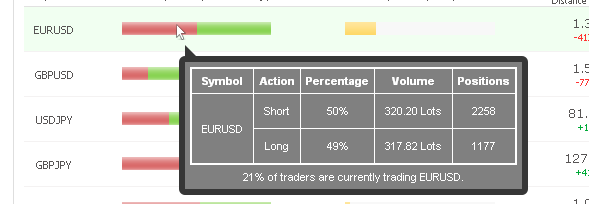
You can also hover over the symbol in question to see more in-depth data:


The data is refreshed every 60 seconds and based on real, verified accounts only, to provide you the most accurate and true statistics of the community.

Regards,

The Myfxbook team.

1 Year Anniversary And 1 New Feature – Equity!

Exactly 1 year ago, on September 1st, 2009, Myfxbook was launched – it was an interesting year for us; starting from the dozen of bugs reported daily (which required us to work all through the night) and down to the several outages we had due to the overwhelming growth we’ve experienced and never were prepared for.

Myfxbook was gradually developed (and still is) thanks to your never-ending suggestions and feedback which we are most thankful for. Those who have been with us for a while, know that almost every feature released is asked by our members – we are committed to make Myfxbook a tool everyone can easily use and benefit from.

Since Myfxbook is all about stats, here are some interesting stats for the year Myfxbook has been online:

  • 571,457 tweets were sent using the automated twitter connection to your trading accounts.
  • 21,102 trading accounts are connected to Myfxbook (61% real accounts, 39% demo).
  • Myfxbook has 15,846 registered users.
  • 12,303 emails were received with an average response time of 46 minutes.
  • 1,189 bugs were reported and fixed :).
  • Over 1,100 suggestions were submitted, a big part of which were implemented.

We’ve become one of the leading analysis tools for forex trading accounts thanks to you, so all we want to say is thank you! We hope you enjoy using Myfxbook as much as we love developing it :).

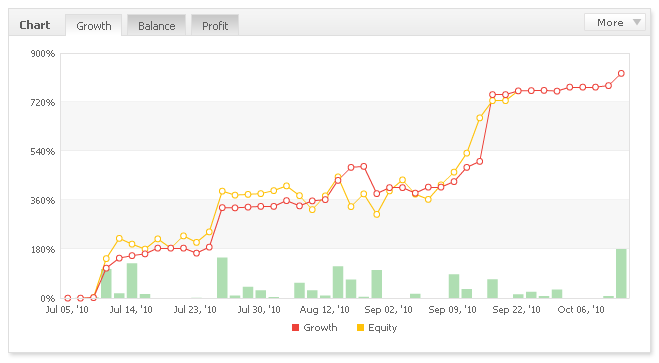
And how about a new feature? Well of course there is one! We worked hard to release the most anticipated and most important feature to date – equity (Yes, we know it took us a while, but like all good things, it was worth the wait, didn’t it?).
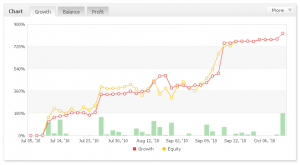

You can now see historic equity for each account which will help you asses risk better than ever before. Our systems will calculate equity for each account at the end of each day and as soon as a new account is added.  Currently, 63 symbols are supported (more symbols will be added):

AUDCAD AUDCHF AUDJPY AUDNZD AUDUSD AUS200
CADCHF CADJPY CHFJPY CHFNOK CHFSEK ESP35
EURAUD EURCAD EURCHF EURDKK EURGBP EURJPY
EURNOK EURNZD EURSEK EURTRY EURUSD FRA40
GBPAUD GBPCAD GBPCHF GBPJPY GBPNZD GBPSEK
GBPUSD GER30 HKDJPY HKG33 ITA40 JPN225
NAS100 NOKJPY NZDCAD NZDCHF NZDJPY NZDUSD
SEKJPY SGDJPY SPX500 SWE30 TRYJPY UK100
UKOIL US30 USDCAD USDCHF USDDKK USDJPY
USDHKD USDMXN USDNOK USDSEK USDSGD USDTRY
USDZAR USOIL ZARJPY
*Please note that the equity calcualtion is in its own beta mode and after it’s tested for a short period, the drawdown calculation will be based on equity for an accurate result. Also, equity will be added to the strategies section in a few days.

We’re working on a lot more new and exciting features, so stay tuned!

We hope Myfxbook helped you to learn how to trade better, understand your trading habits and maybe find an investor or a money manager. Feel free to share your experience by commenting below – it would be great to hear your experience!

Once again – thank you!

All the best,

The Myfxbook team.
Custom Statements

Just a quick update:  a small but a very requested change was made today – if you perform a custom analysis on an account, the exported statement (html, pdf or csv) will include the custom period only.

Regards,

The Myfxbook team.

New Stats

We’ve added new stats: total lots/units, profit factor and commissions, in the advanced statistics box:

Also, you can now see an exact win/loss rate par each currency, in the advanced statistics, summary tab:

All of the new statistics can be analyzed in real-time using custom analysis. The new stats will become available after the next account update, as always.

Have a great week,

The Myfxbook team.

New Reviews Section

We’ve just added a new reviews section – Signal Providers:

Use this section to review and learn about the different automated signal providers – if you have used one of the signal providers, do write your experience with it to help other users.

If you know of any other signal providers we’ve missed, do let us know.

More updates:

  • Update failure notification – the notification will also appear in your Myfxbook dashboard.
  • The Myfxbook EA was rewritten to eliminate the existing crash issue reported by some users – please download the new dll and ex4 file (https://www.myfxbook.com/help/connect-metatrader-ea).

Have a great trading week,

The Myfxbook team.