Hello, Iam very happy that you are overing codeing EA for free :)
Here is my idea:
MT5 Range Breakout EA
1) GeneralBuild a Range Breakout Expert Advisor (EA) for MetaTrader 5.Must work on any symbol Forex Metalls IndicsThe EA must calculate a daily range during a defined time window and trade breakouts based on configurable trigger logic and filters. 2) Range DefinitionRange Time WindowThe range is built from 06:00 to 07:00 Central European Time (CET/MEZ) by default.The range time must be fully adjustable via inputs (start/end time).Range PersistenceThe range remains active for the entire day after it is created.If price breaks out, trades, and later returns back into the range, the EA must be able to trade another breakout again the same day, but only if the “return condition” is satisfied.Return-to-Range Rule (Important)A “reset” for a new breakout setup is allowed only after price returns inside the range with a FULL candle close inside the range.A wick touching/entering the range is not enough to reset the setup.Meaning:
If price is outside the range and later comes back, at least one candle must CLOSE inside the range before a new breakout trade is allowed. 3) Breakout Trigger Types (Selectable)The breakout trigger must be selectable using an enum input:
WICK_OUTSIDE
A breakout is detected if the candle’s high (for buy) or low (for sell) crosses outside the range boundary.CLOSE_OUTSIDE
A breakout is detected only if the candle closes above the range high (buy) or below the range low (sell).FULL_CANDLE_OUTSIDE
A breakout is detected only if the entire candle is outside the range:
Buy: Low > RangeHighSell: High < RangeLow 4) Filters (Must be true to allow entry)Bollinger Bands Expansion FilterA trade is allowed only if Bollinger Bands are expanding.Expansion definition must be configurable (example: BandWidth increasing vs previous candle(s)).MACD FilterFor BUY, MACD must be above 0 line.For SELL, MACD must be below 0 line.Use MACD Histogram (bars) or MACD main line — must be selectable by input. 5) Entry RulesWhen breakout condition is met AND filters pass:
Open BUY on upside breakoutOpen SELL on downside breakoutDirection ControlThe EA must allow restricting direction:
Buy onlySell onlyBothRe-Entry Same DayAfter a breakout trade occurs, the EA must NOT immediately re-enter.Re-entry is allowed only after:
Price returns inside the range with a candle close inside, thenA new breakout happens again with selected trigger type and filters. 6) Risk & Position ManagementLot / Risk ModeMust support:
Fixed lot size% risk based on stop-loss distance (optional but recommended)Stop Loss (Selectable)Stop-loss must be selectable:
SL_PIPSStop loss in pips/points.SL_MONEYStop loss based on money amount (currency of account).SL_ATRStop loss = ATR * multiplier.If SL_MONEY is used, EA must calculate the corresponding price distance based on tick value/tick size.Take ProfitIf you want: can be added the same way (TP pips / money / RR).(You didn’t request TP explicitly here, so it can be optional.) 7) Break Even (Optional)Break-even must be switchable and adjustable:
Break-even trigger:
BE in pipsBE in moneyWhen trigger is reached, SL moves to:
Entry price (or entry + small offset, optional input) 8) Trailing Stop (Optional)Trailing stop must be switchable and adjustable:
Trailing mode:
Trailing in pipsTrailing in moneyMust trail only after:
Optional “start trailing after X pips/money” input (recommended) 9) Visual Display (Chart + Strategy Tester Visual Mode)The daily range must be drawn as a colored rectangle/box on the chart.Must be visible in:
Normal chartVisual Strategy TesterRecommended visuals:
Range Box (Rectangle) with configurable color, transparencyRange High/Low lines (optional)Text label showing:
“Range High”“Range Low”Time window used (06:00–07:00 CET)
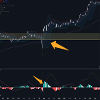
Please see attached picture.
Thank you very much!